

Requirements
You need access to the Twilio Console and the SIP feature enabled in Miyon AI. In the platform, set up the inbound SIP trunk and copy your personal SIP address. Also add the required custom phone number and assign it to a voice agent. For outbound calls and warm transfers, also configure the outbound connection using the Twilio details from step 4.The names of individual menu items in Twilio may differ slightly depending on region or Console version. What matters: Origination URI for inbound calls, Termination SIP URI and Credential List for outbound calls.
1. Create a SIP trunk
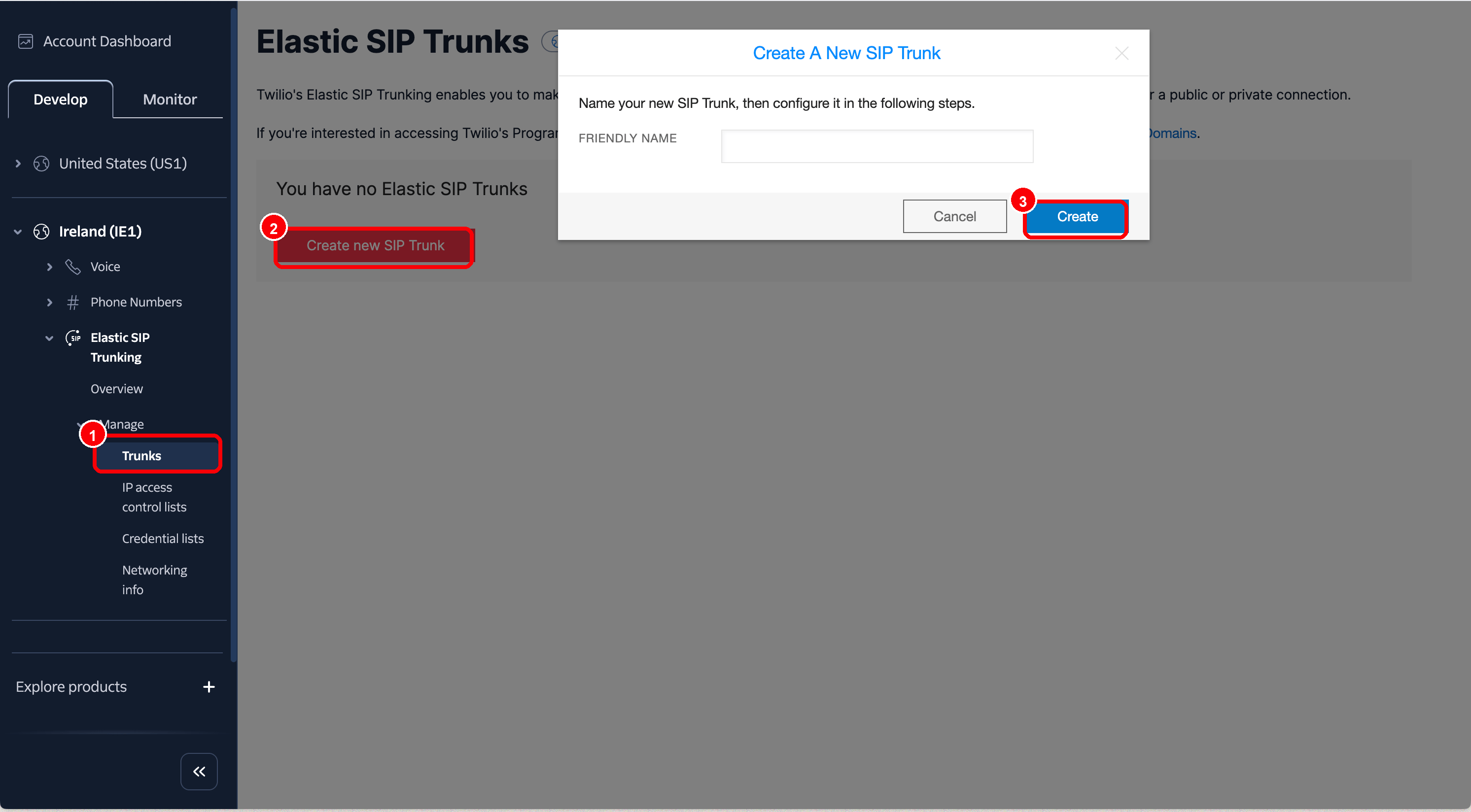
In the Twilio Console, open Develop → Elastic SIP Trunking → Manage → Trunks and create a new SIP trunk. Choose a unique name, for examplevoice-agent.
2. Assign a Twilio phone number to the trunk
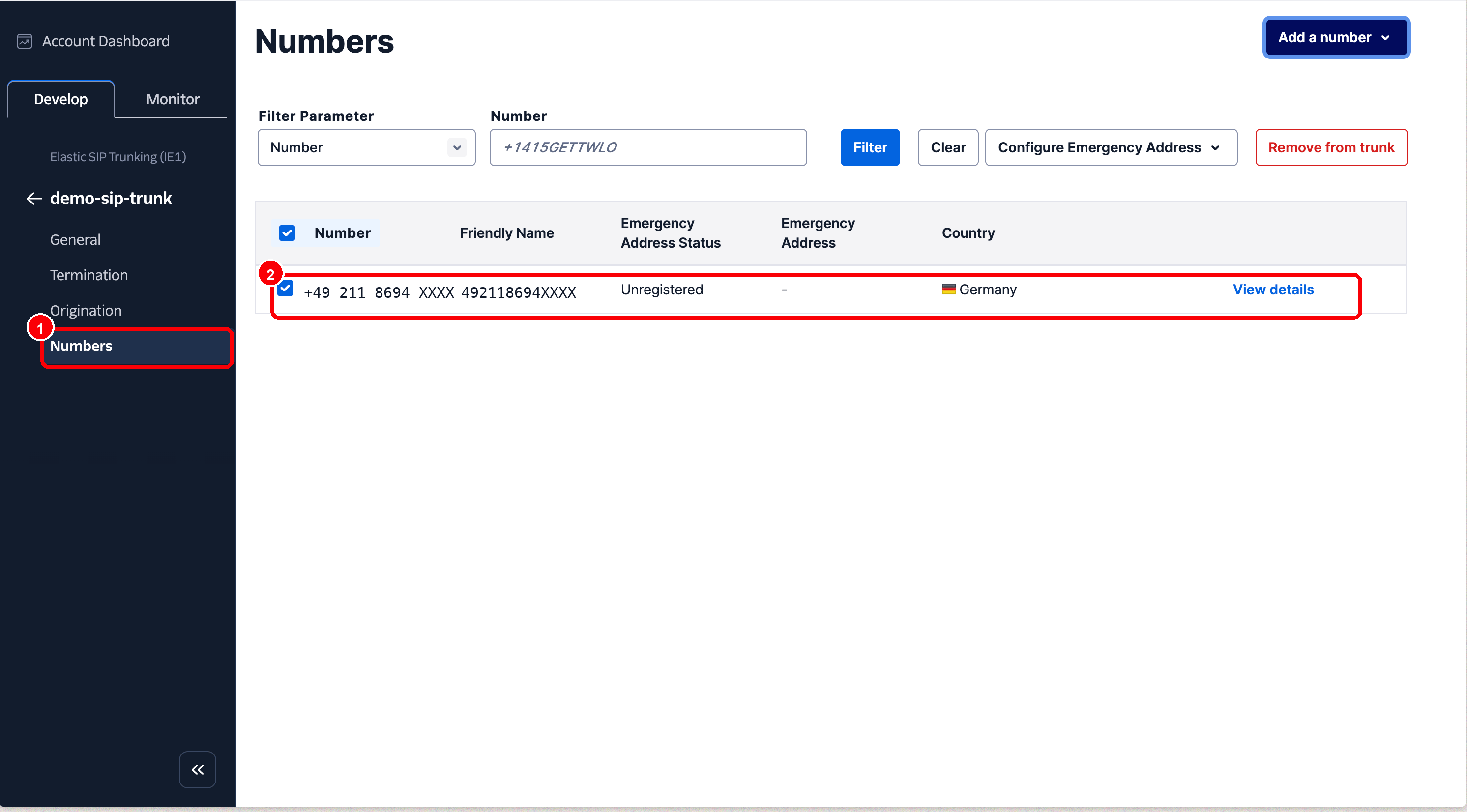
In the trunk, open the Numbers area. Via Add a number → Add an Existing Number, you can connect an existing Twilio phone number to the trunk.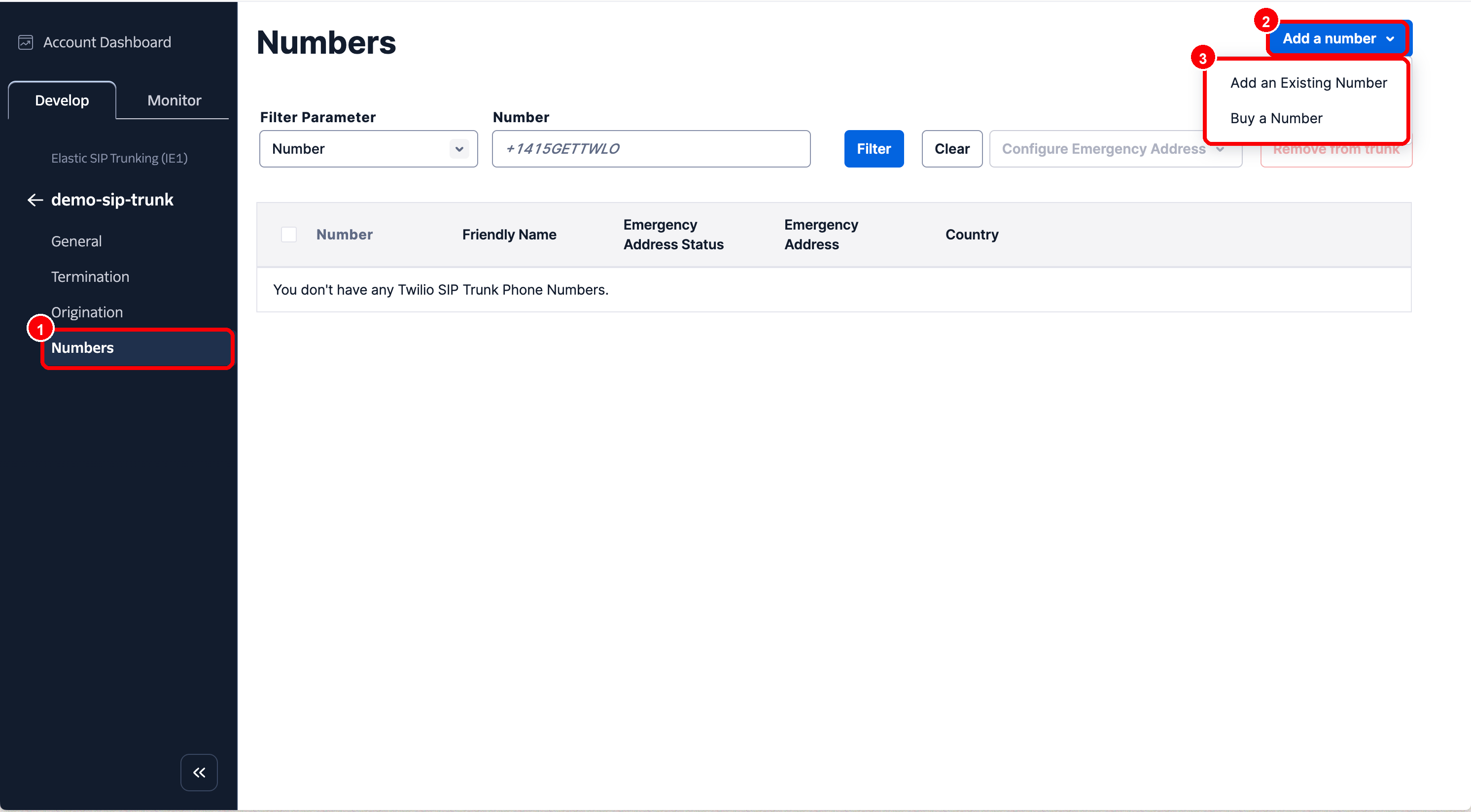
3. Set the Origination URI
In the trunk, open the Origination area and enter the Miyon AI SIP address as the Origination URI: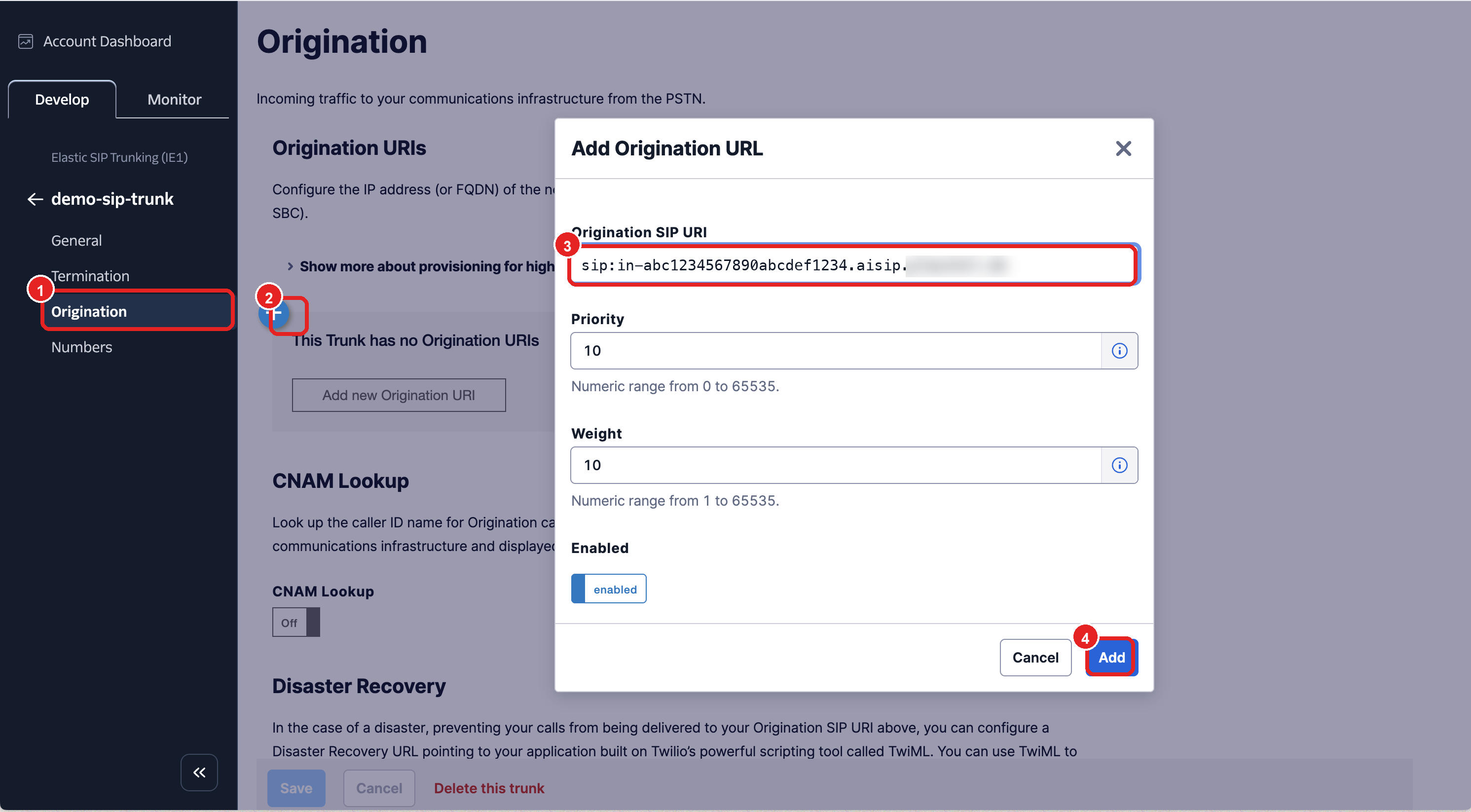
4. Set up termination and SIP credentials
For outbound BYOS calls and warm transfers, open the Termination area in Twilio.- Set a Termination SIP URI, for example
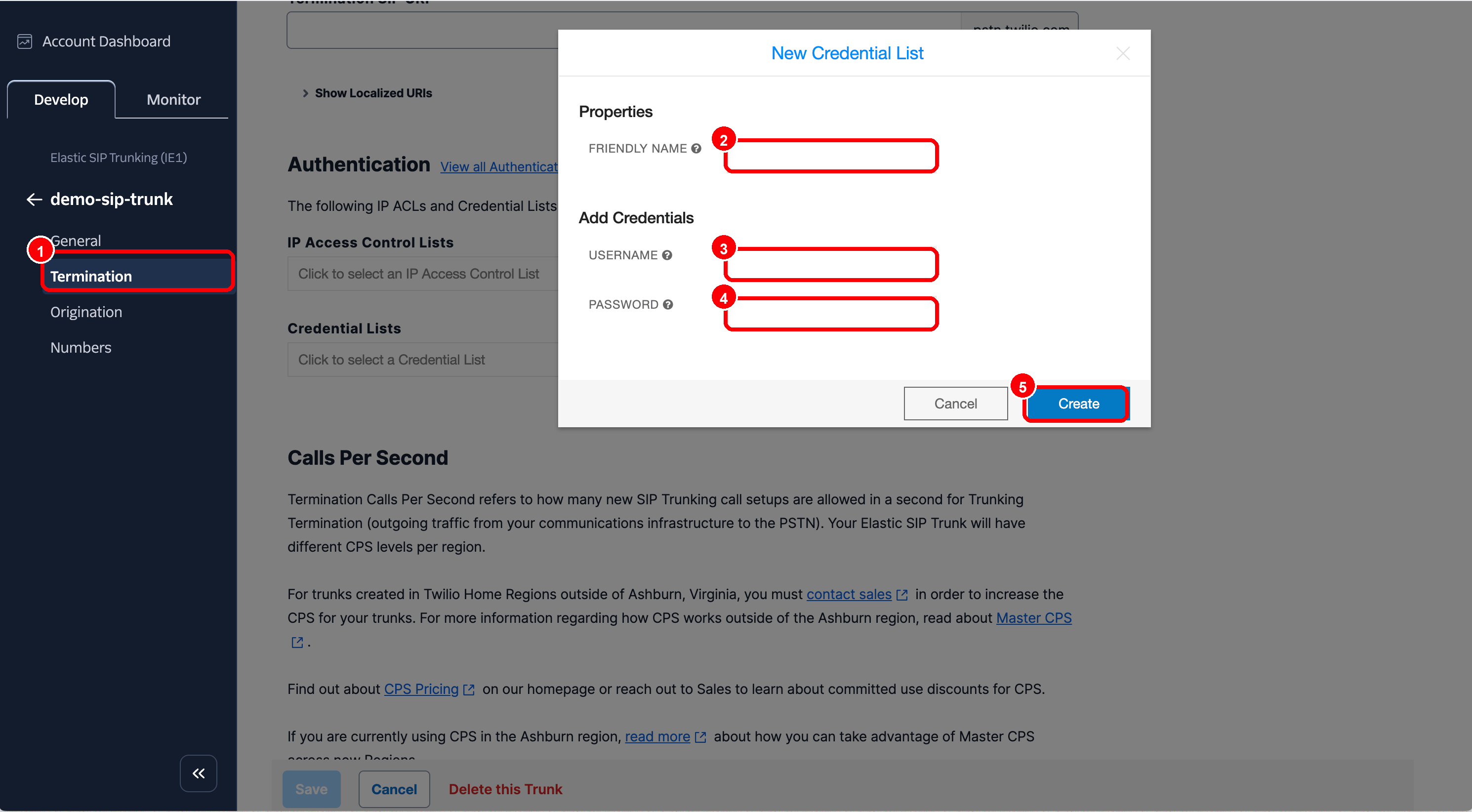
my-company.pstn.twilio.com. - Create or select a Credential List.
- Store a SIP username and a SIP password there.
- Then enter these values in Miyon AI under Set up SIP connection → Outbound.
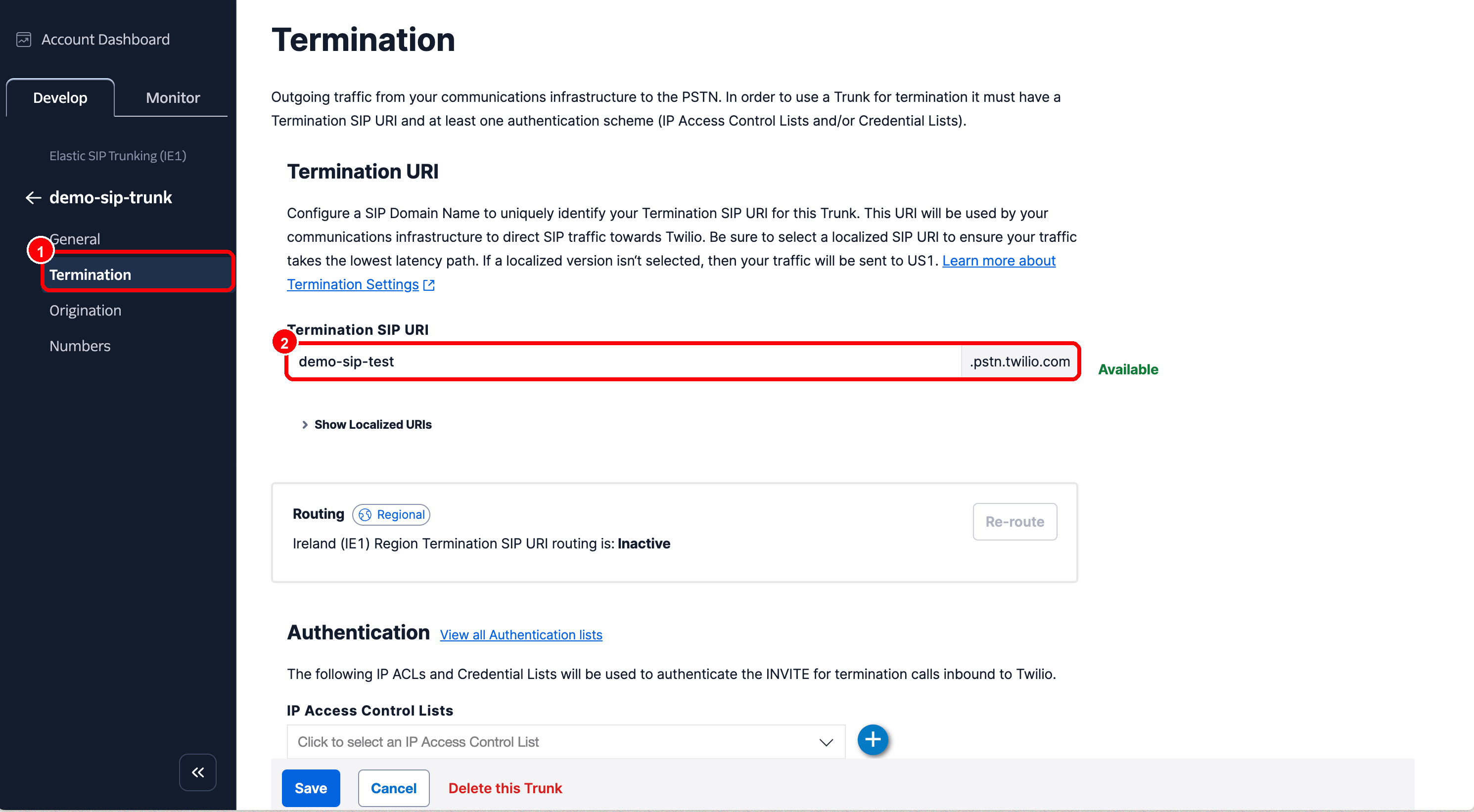
- Twilio Termination SIP URI → Miyon AI Termination URL
- Twilio Credential List Username → Miyon AI Username
- Twilio Credential List Password → Miyon AI Password
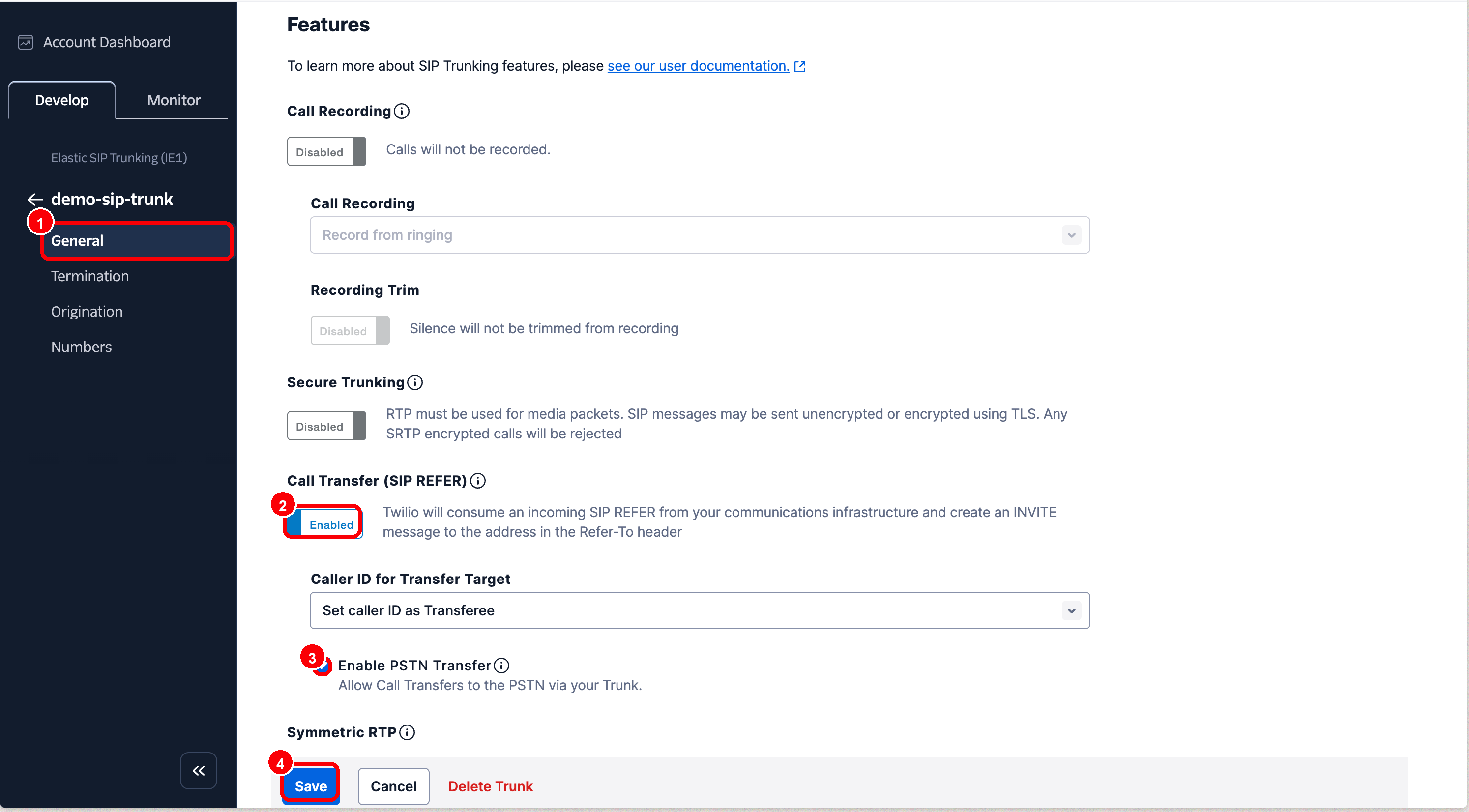
5. Enable SIP REFER for transfers
For transfers via SIP REFER, SIP REFER must be enabled in the Twilio trunk. In the trunk, open the General area and set the feature settings as follows:- Call Transfer (SIP REFER): enabled
- Enable PSTN Transfer: enabled if calls should be transferred to external PSTN numbers
- Caller ID for Transfer Target: to match your use case, often
Set caller ID as Transferee
6. Make a test call
Call the Twilio phone number connected to the trunk. The call should arrive in Miyon AI on the assigned voice agent. If the call does not arrive, check first:- Is the Twilio phone number connected to the correct trunk?
- Is the Origination URI exactly the SIP address from Miyon AI?
- Is the inbound SIP trunk active in Miyon AI?
- Is the called phone number created under Custom phone numbers and assigned to a voice agent?