

Requirements
You need administrator access to the 3CX Admin Console and the SIP feature enabled in Miyon AI. In the platform, set up the inbound SIP trunk and a custom phone number assigned to an agent. Have your personal SIP address ready for the trunk configuration.These steps use an example phone number
+499999999999, an internal 3CX prefix 999, and the resulting dial string 999+499999999999. Replace them with your own values.1. Create a SIP trunk
In the 3CX Admin console, open Trunks & Chat, click + Trunk, and choose Generic SIP Trunk (IP Based).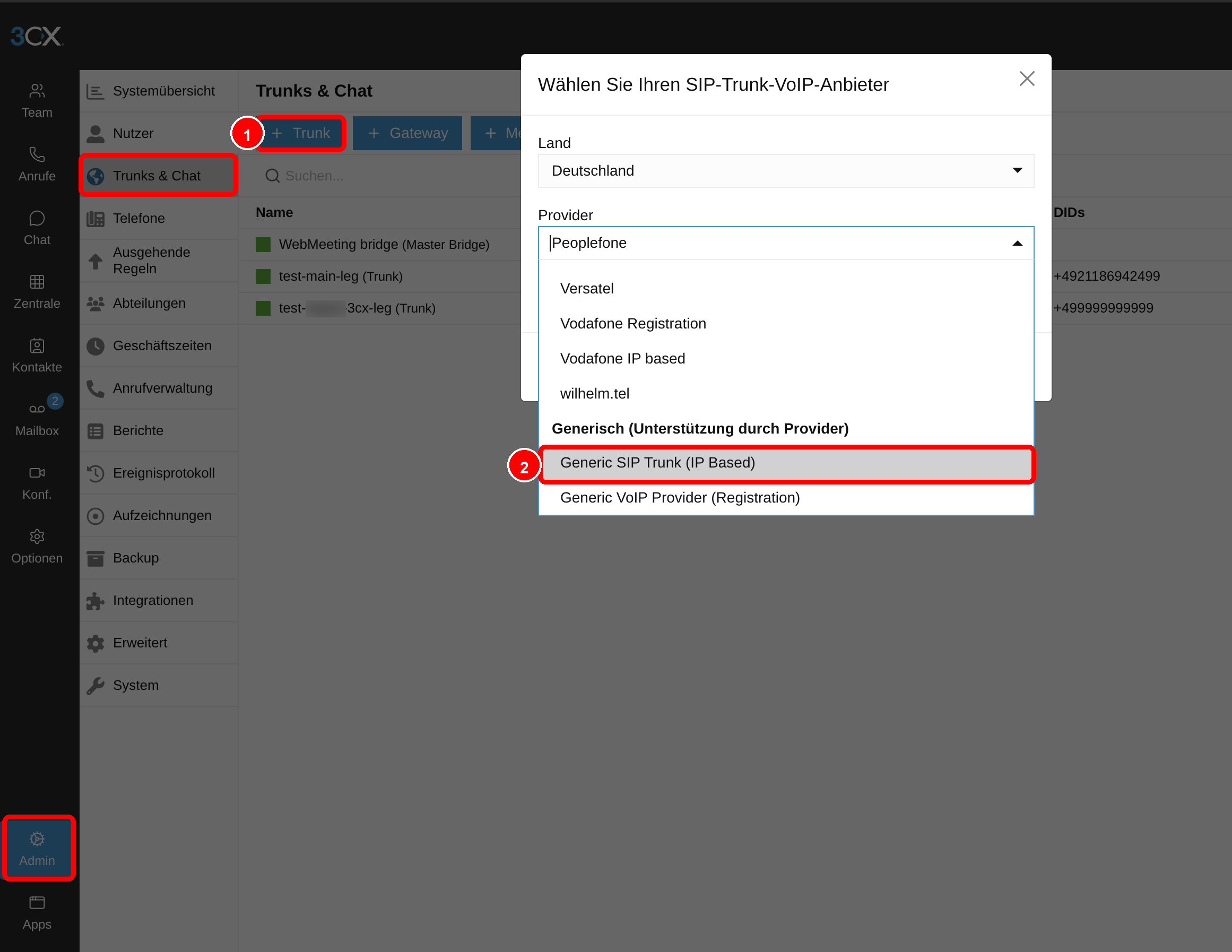
2. Enter the trunk data
- Main trunk number: your phone number from Miyon AI, for example
+499999999999. - Authentication type: None – IP based.
- Registrar/Server: your personal SIP address from Miyon AI, without the
sip:prefix:
3. Allow calls back to 3CX
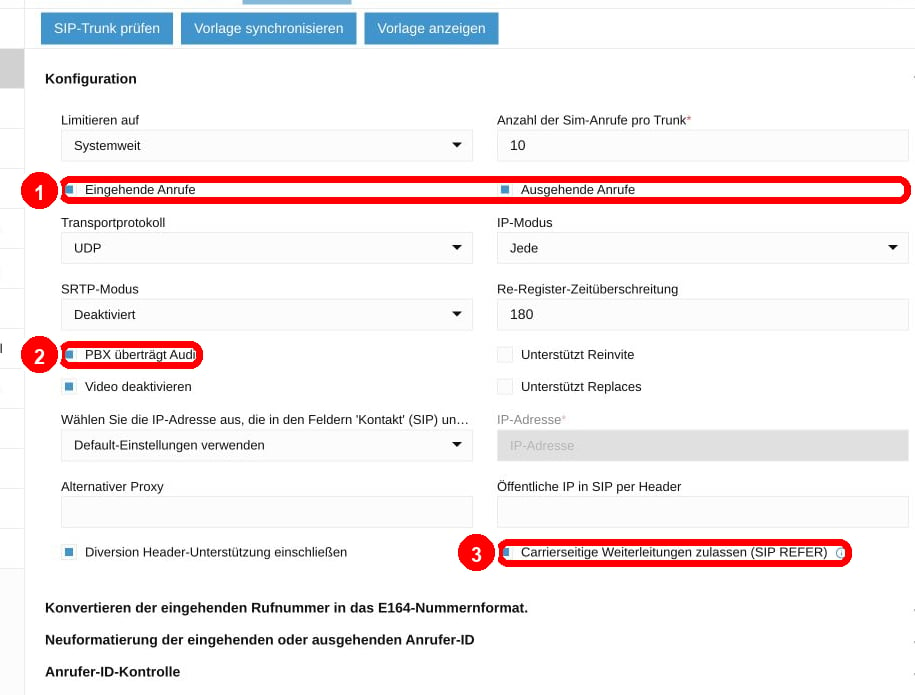
In the trunk configuration:- Enable Inbound calls and Outbound calls.
- Enable PBX delivers audio.
- Enable Allow carrier-side forwarding (SIP REFER) if you use transfers.
4. Create an outbound rule
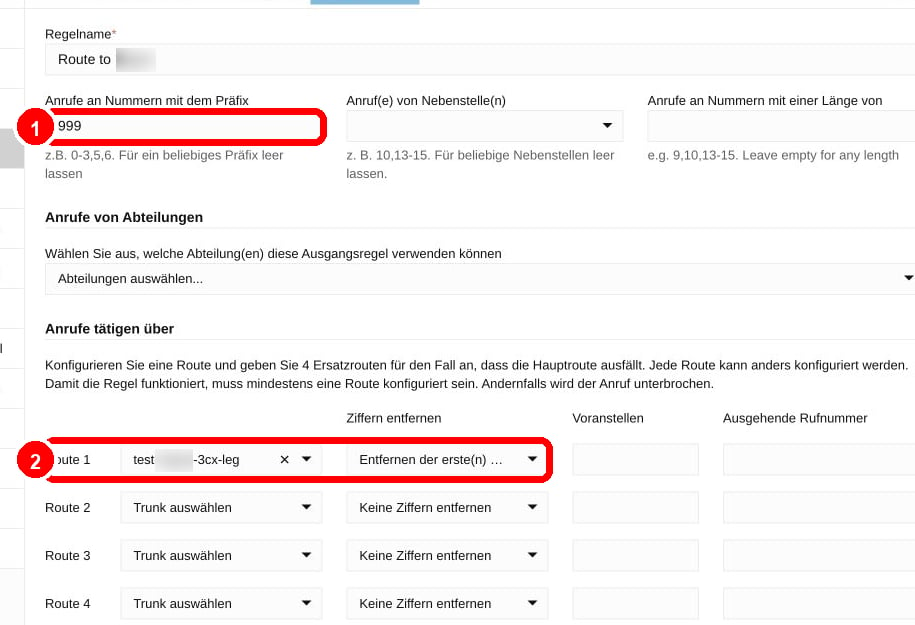
Create an outbound rule that sends the internal prefix to the Miyon AI trunk:- Set the prefix to
999. - Set Route 1 to the Miyon AI trunk.
- Under Strip digits, remove the first 3 digits.
5. Forward the inbound number to Miyon AI
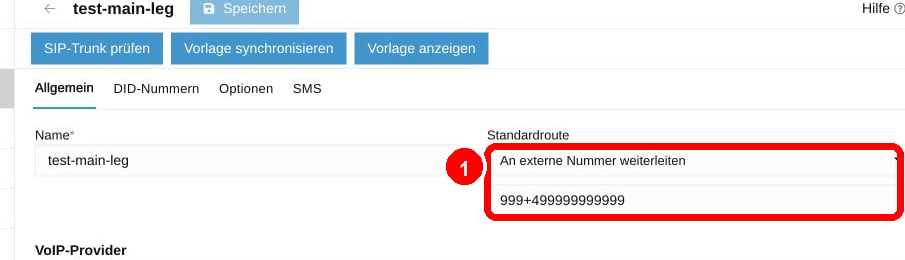
Open the existing 3CX trunk that receives your real phone number.- Set the default route to Forward to external number.
- Set the external number to
999+499999999999— the internal prefix followed by your number.
6. Make a test call
Call the phone number that arrives via 3CX. The call should reach Miyon AI on the assigned voice agent. If it does not, check first:- Does the outbound rule use prefix
999, strip3digits, and Route 1 to the Miyon AI trunk? - Does the Registrar/Server field contain the SIP address without the
sip:prefix? Asip:prefix causes400 Bad Request. - Is the default route of the existing 3CX trunk set to forward to
999+499999999999? Otherwise the call may land in the 3CX mailbox. - If 3CX reports “Call forbidden by administrator”, allow the country code under Admin → Advanced → Allowed Country Codes.
- If Allowed Source IPs / CIDRs is set in Miyon AI, allow the public IP address of your 3CX system.
- For transfers to colleagues, use a 3CX extension or ring group as the target first.